Your home screen
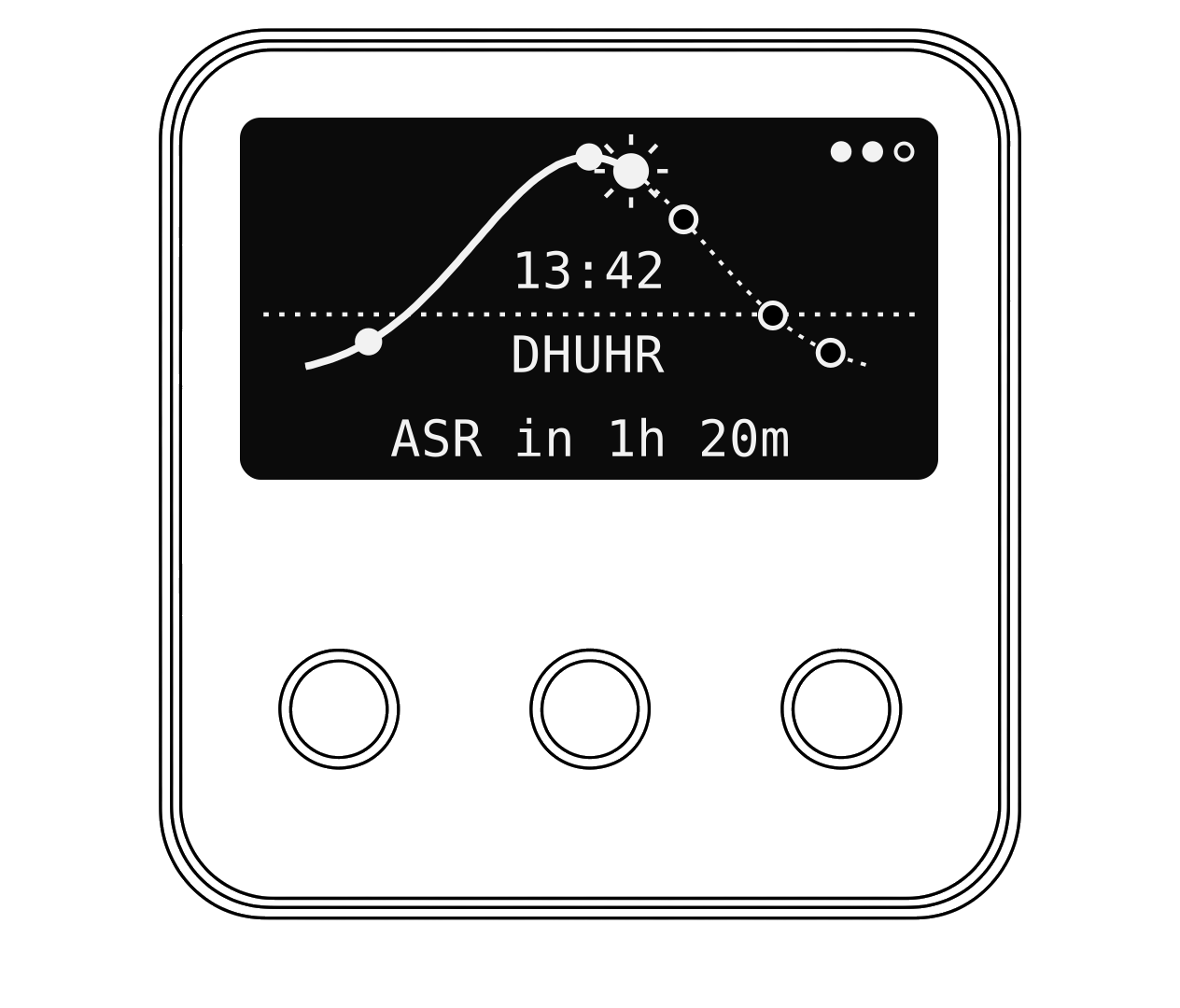
The curve shows the whole prayer day, from Fajr on the left to Isha on the right. The dotted line is the horizon.
- The sun moves along the curve as the day goes on. After Maghrib it becomes a moon.
- Each dot is a prayer time. Filled dots are prayers that have passed.
- In the middle you see the time and the part of the day you are in.
- The line at the bottom counts down to the next prayer.
Hot tip
The screen goes dark after a few seconds to save power. Press OK to light it up.
Things you might see on your clock
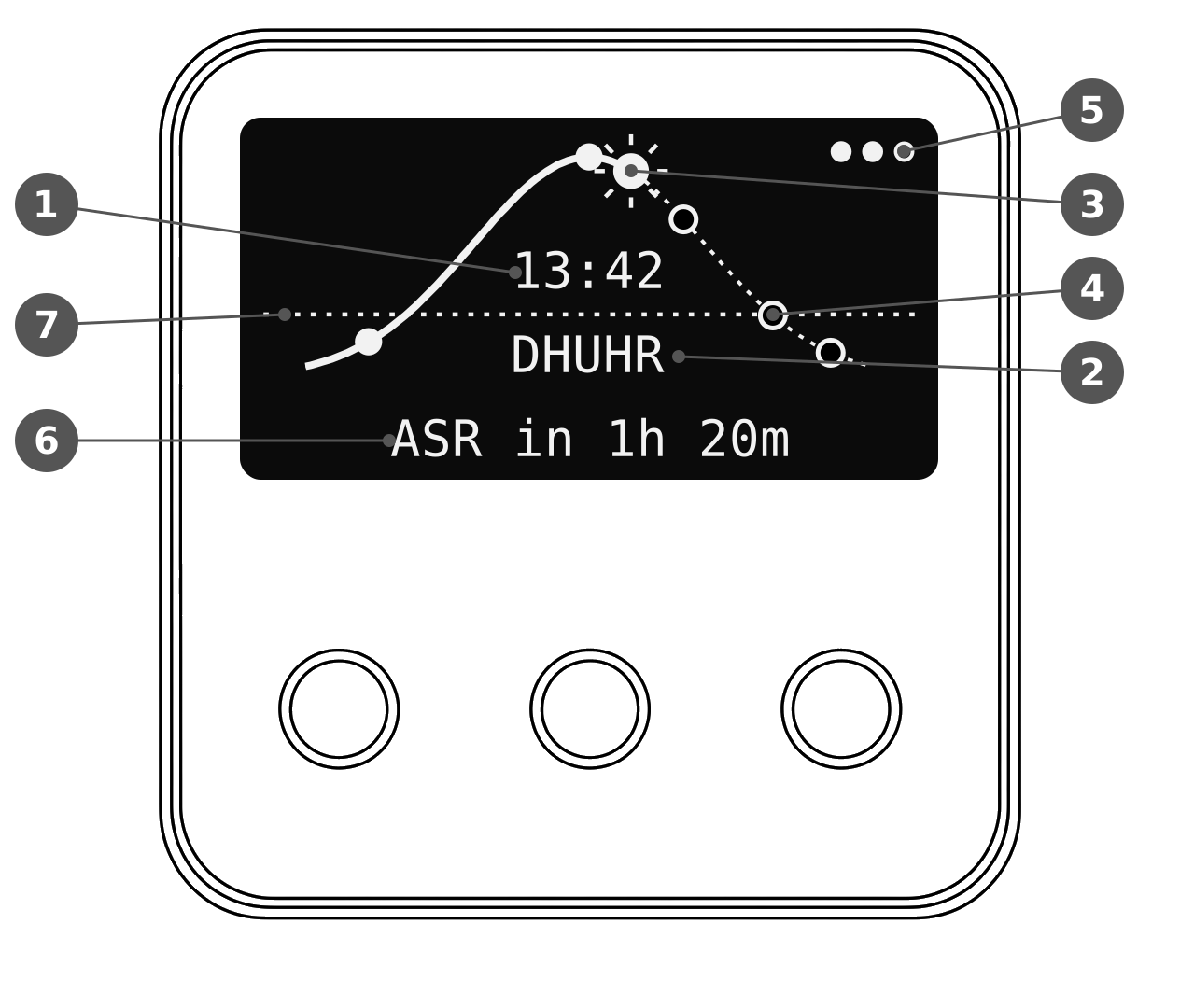
- Current time
- Part of the prayer day
- Sun (moon at night)
- Prayer time (filled once passed)
- Volume level
- Countdown to the next prayer
- Horizon line
Messages
| On the screen | What it means |
|---|---|
| Long press OK to MUTE | The Adhan is playing |
| MUTED | You have silenced this Adhan |
| NO WIFI CONNECTION | Your clock can't reach your Wi-Fi |
| UPDATE AVAILABLE | New software is ready to install |
| Location Error / Prayers: Error | The internet connection dropped during start-up. Unplug and plug back in |
| Adhan-AI | The Wi-Fi name your clock uses during setup |