Prayer settings
Different communities calculate prayer times in slightly different ways. Your clock comes set up for the UK, and most people never need to change this.
| Setting | Comes set to | What it means |
|---|---|---|
| Method | Moonsighting | How Fajr and Isha are worked out. Moonsighting Committee is widely used in the UK. |
| School | Hanafi | Hanafi gives a later Asr time. Choose Shafi for the earlier Asr. |
| Angle Method | Angle Based | Keeps Fajr and Isha sensible in summer, when nights are short. |
How to change a setting
- Open the menu and choose Prayer.
- Choose Method, School or Angle Method.
- Pick the option you want and press OK. The clock fetches new prayer times straight away.
Hot tip
Not sure which method to use? Ask your local mosque which timetable they follow.
Adjusting prayer times
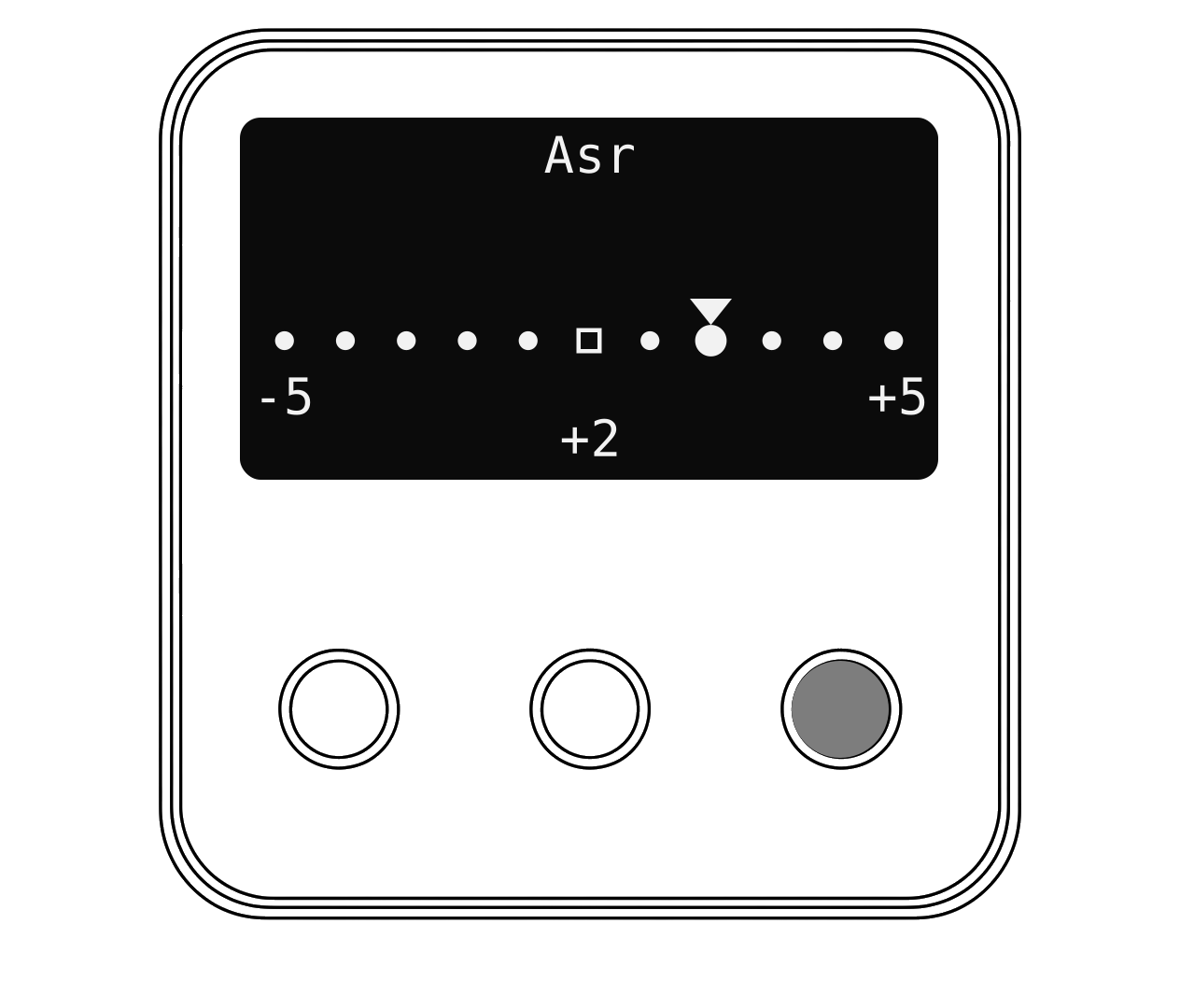
If your clock is a minute or two different from your mosque's timetable, you can nudge each prayer by up to 5 minutes earlier or later.
- Open the menu, choose Prayer, then Adjustment.
- Choose a prayer, for example Asr.
- Press Up for later or Down for earlier. The square marks no change.
- Press OK to save. The clock moves on to the next prayer.
- To undo every change, choose Reset All Offsets.